
Guides
IRON NEST Scout Plane Bearing and Elevation
Keep reconnaissance direction separate from the turret firing solution, then turn confirmed map intelligence into bearing, range and elevation.
Evidence map reviewed: 2026-08-13
The page combines release-version gameplay with documented map and calculator workflows. It does not publish a guessed universal firing formula.
The short answer
IRON NEST uses two different directions: scout-plane bearing controls the aircraft’s photo run, while firing bearing points the turret from the current IRON NEST position toward the solved target. Elevation is calculated afterward from measured range, shell and accepted powder charge using the in-game ballistic calculator.
 123
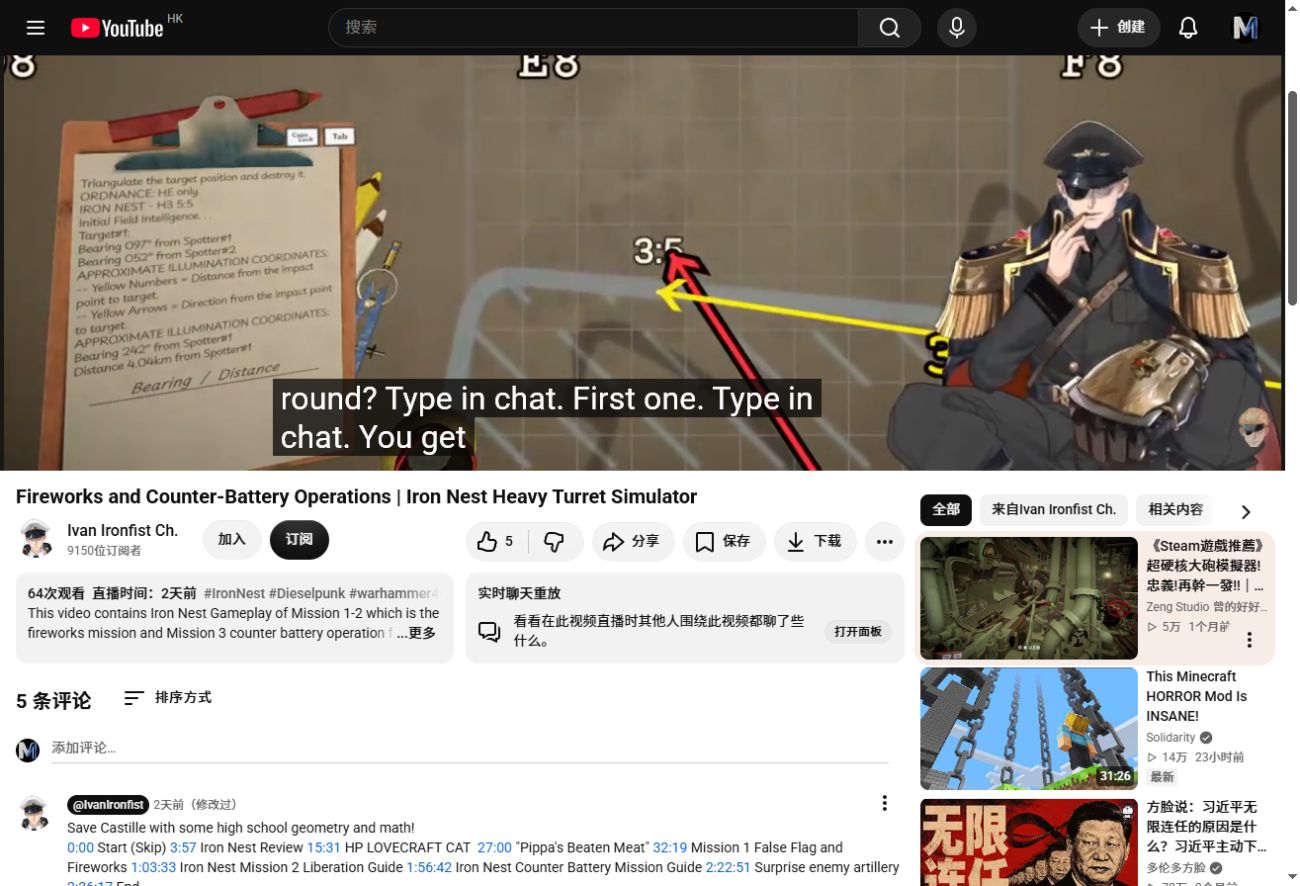
123- 1Observation data arrives on the clipboard and identifies where evidence originates.
- 2Construction lines solve or verify the target position.
- 3The final turret-to-target measurement produces firing bearing and range.
The worked example below uses symbolic positions because mission coordinates can vary. This screenshot shows the actual release-version map workflow. v1.0 Mission 1 footage
Do not mix up the three values
| Value | Starts from | Points toward | Used by |
|---|---|---|---|
| Scout-plane bearing | Requested starting sector | Direction of the reconnaissance pass | Air reconnaissance order |
| Firing bearing | Current IRON NEST map reference | Solved target position | Turret horizontal rotation |
| Elevation | Ballistic calculator inputs | Vertical gun setting | Each gun barrel |
The plane may fly east at 90° while the target later lies northwest of the turret. In that case the firing bearing is not 90°. The aircraft direction only describes how the area is photographed.
Worked example without invented firing-table numbers
Assume an uncertain enemy position occupies a north–south strip:
- Start the scout plane on the western side of the strip and use 90° so it travels east across the area.
- Plot the target confirmed by the returned intelligence.
- Draw the final red measurement from the current IRON NEST reference point to the target. The map supplies the actual firing bearing and range for this geometry.
- Open the ballistic calculator, select the intended shell, enter the measured range and choose a powder charge the calculator accepts.
- Print the firing data and set the turret bearing plus the calculated elevation on the correct barrel.
This example deliberately does not invent an elevation number. Elevation changes with range, shell, charge and game balance; the current calculator is the authoritative source for the value.
How to calculate the firing bearing
- Confirm the target position from reconnaissance, spotter intersection or known coordinates.
- Verify that the large IRON NEST model shows the current firing position.
- Start the final red measurement at the model’s documented reference point.
- End it at the solved target token.
- Read and preserve the bearing and range generated by the map.
Draw from IRON NEST to target. Reversing the line gives the reciprocal direction and points the turret away from the intended solution.
How to calculate elevation
- Use the range produced by the final map measurement.
- Choose the shell required for the target effect.
- Enter the range in the ballistic calculator.
- Choose an accepted powder charge; do not force a combination shown as invalid.
- Print the elevation card and keep it matched to the intended target and barrel.
- Complete loading and sealing before using coarse then fine elevation controls.
There is no reliable universal elevation formula published here. Static community shortcuts can become wrong after a ballistics or charge update.
Failure checklist
- Plane covered the wrong area: start from the opposite edge and verify cardinal direction.
- Bearing is about 180° wrong: the final line was probably drawn target-to-turret.
- Range changed after movement: update the IRON NEST model and measure again.
- Calculator rejects the setup: change charge or confirm the selected shell and range.
- Correct numbers, wrong impact: verify the card belongs to the loaded barrel and use confirmed impact evidence before correcting.