
Guides
IRON NEST How to Use Scout Plane
Use reconnaissance to reduce uncertainty before committing ammunition or exposing the turret.
Evidence map reviewed: 2026-08-13
The role of the scout plane is documented in community material and counter-battery discussion; controls may vary by version.
Quick answer: how to use the scout plane
Use the scout plane when you need battlefield information that the turret and current spotters cannot confirm. Request the reconnaissance asset, choose a starting map sector, set a cardinal bearing through the uncertain area, wait for the returned photographs or intelligence, and plot confirmed information before calculating a shot.
 123
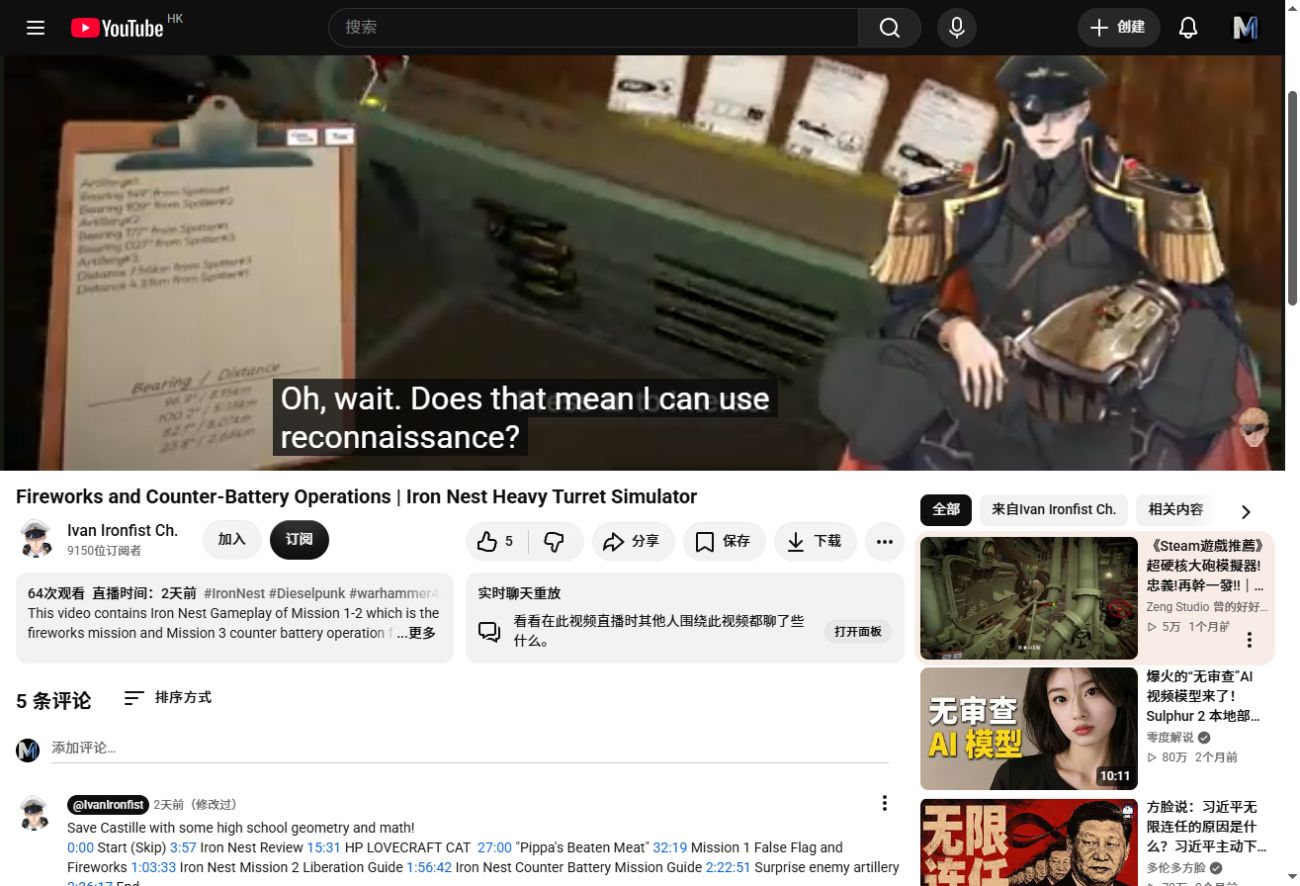
123- 1The clipboard preserves incoming spotter bearings and distances.
- 2Reconnaissance is requested when existing observations do not safely settle the target.
- 3Returned intelligence must still be transferred to the tactical map before firing.
This release-version counter-battery sequence shows the planning state in which reconnaissance can reduce uncertainty. The image is evidence of the workflow, not a fixed mission solution. v1.0 counter-battery footage
Operating prerequisites
- The current mission or mode must make the reconnaissance asset available.
- You need enough requisition resources to place the request without starving ammunition or powder purchases.
- You need a defined area of uncertainty. A plane order without a useful start sector and direction wastes the pass.
- You still need the tactical map and ballistic calculator afterward; reconnaissance does not aim the guns automatically.
Scout plane bearing reference
The plane bearing is the direction of the photo run, measured clockwise from north:
| Bearing | Flight direction on the map | Good starting edge |
|---|---|---|
| 0° | North / up | South side of the area |
| 90° | East / right | West side of the area |
| 180° | South / down | North side of the area |
| 270° | West / left | East side of the area |
Choose the starting sector near the edge opposite the flight direction so the pass crosses as much of the uncertain strip as possible. The start sector marks where useful coverage begins; it is not the plane’s distant approach point.
Step-by-step workflow
- Read the order and mark the uncertain target area.
- Open the Requisition Console and select the reconnaissance or scout-plane asset available in that mission.
- Enter a starting grid beside the area, not in the middle of a route that immediately leaves the map.
- Select a bearing that carries the aircraft across the likely target area.
- Confirm the request and wait for the photographs or intelligence response.
- Plot only information that the returned evidence supports.
- Measure the confirmed target from the current IRON NEST position, then calculate range, firing bearing and elevation normally.
When the scout plane is worth using
Reconnaissance is most valuable when two spotter lines do not meet cleanly, a hostile battery must be confirmed before a counter-battery shot, or a blind ranging shot would expose the turret. It is usually unnecessary when reliable coordinates and two consistent bearings already establish the target.
Troubleshooting
| Problem | Check |
|---|---|
| No scout-plane option appears | The mission may not have unlocked or enabled that asset |
| The pass misses the suspected target | Recheck the starting edge and the 0/90/180/270 direction |
| Photos arrive but no firing solution appears | You must still plot and measure the returned evidence |
| The request cannot be confirmed | Check requisition resources and required fields |
| The result is stale after moving | Update the IRON NEST token and rebuild the measurement |
Exact cost, card wording, photo count and coverage width are version- or mission-sensitive. Read the live requisition card before confirming instead of relying on an old fixed number.